Installing the battery
The TalentCell battery shown in the official Mothbox assembly instructions is a larger 142Wh battery than what we ship in our kit. That's because we cannot ship batteries larger than 100Wh. Below are some instructions on how to install the 100Wh battery that ships with the LabCrafter kit.
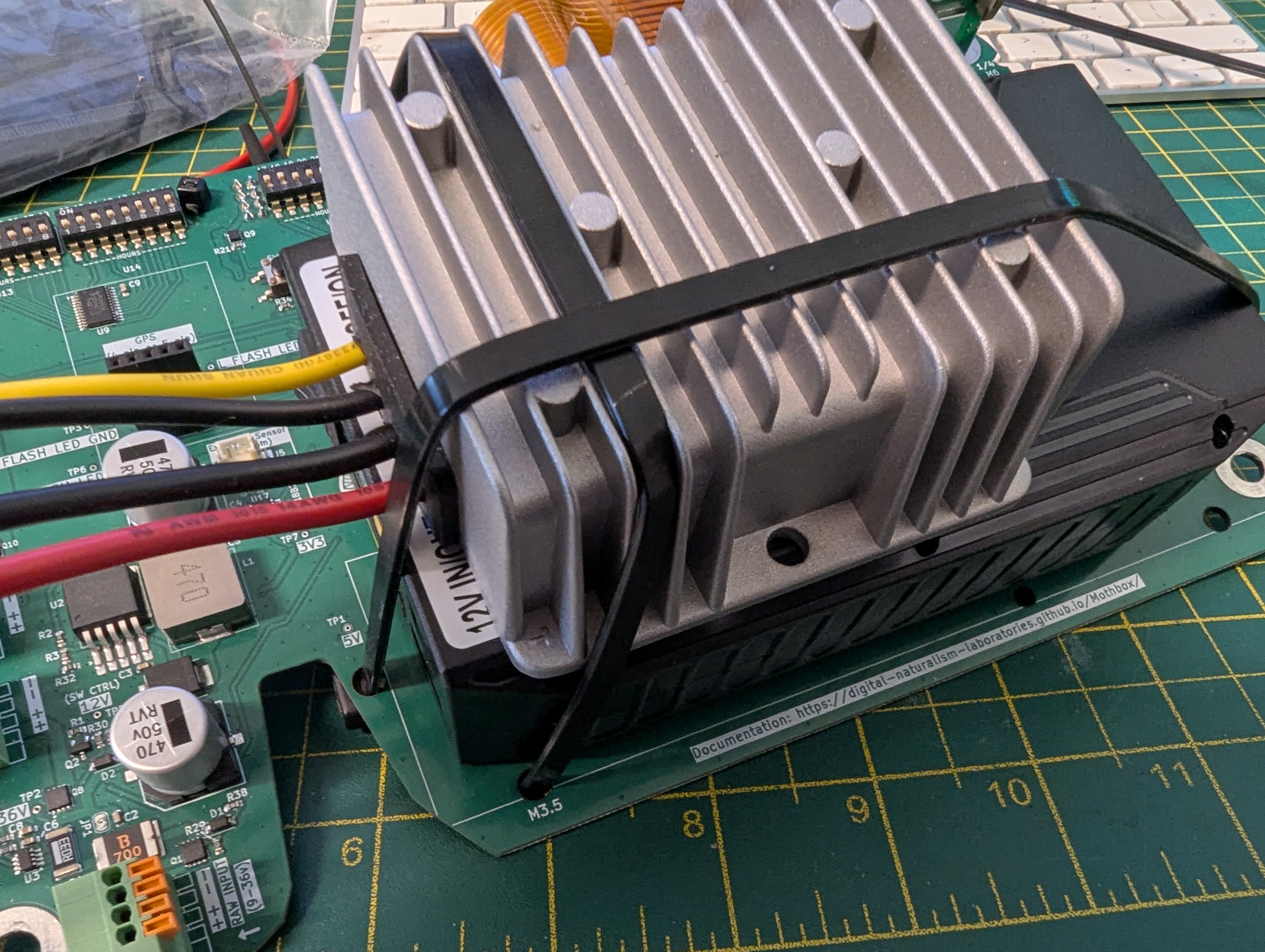
Installing the 100Wh battery (front view)
Using the larger zip ties, use the holes as shown in the pictures to tie down the battery and voltage regulator to the circuit board.
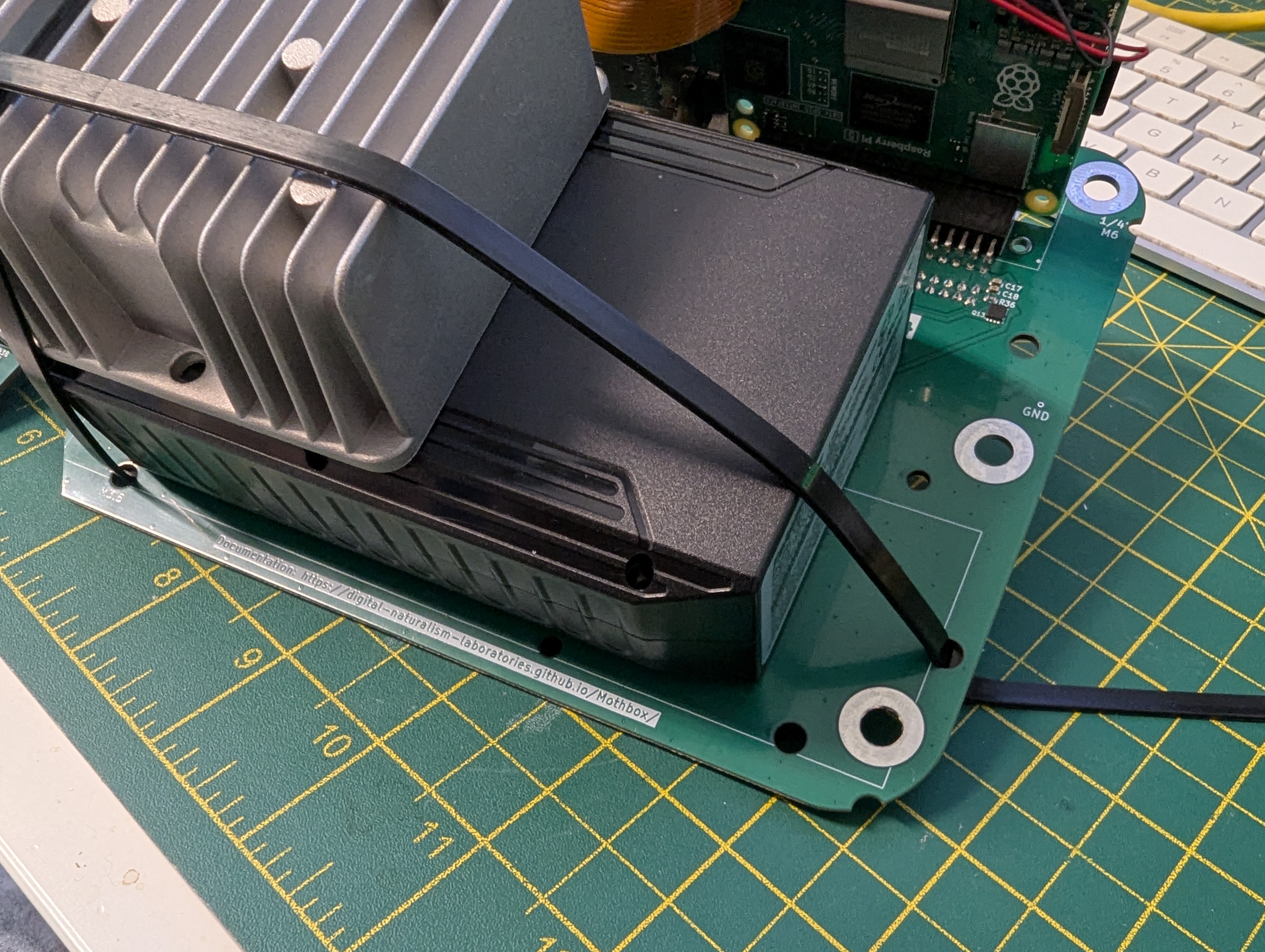
Installing the 100Wh battery (side view)
To connect the battery to the circuit board, take the cable that shipped with the battery and strip the wires from one of the connectors.
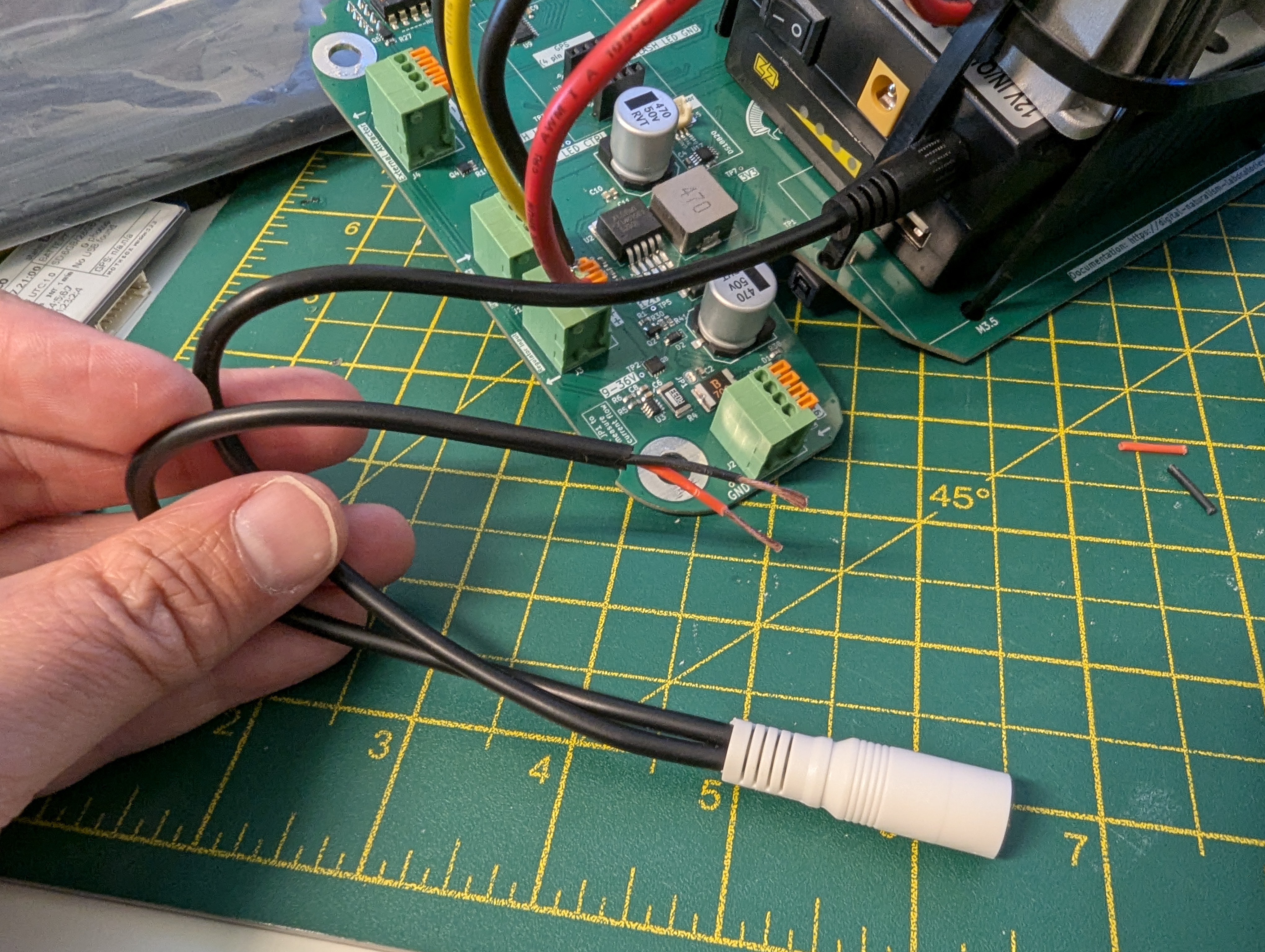
Stripping the wires from the cable
Plug the BLACK wire into a “-“ port on the “RAW INPUT” socket-box. Then plug the RED wire into a “+” port of the “Raw INPUT” socket-box.
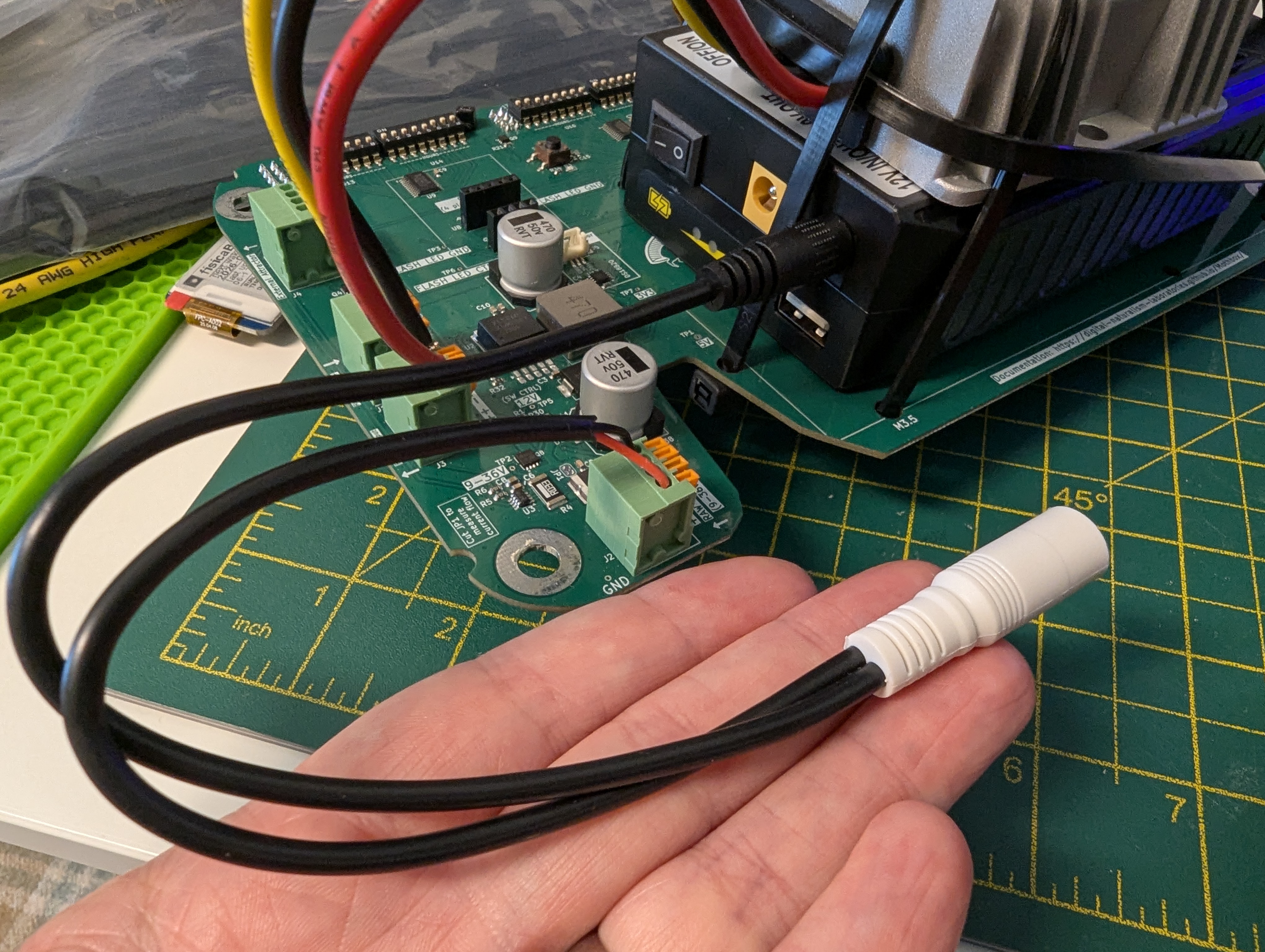
Connecting the wires to the circuit board and battery
You can connect the charge port cable to the white connector, and the black connector goes into the black 12V port on the battery.
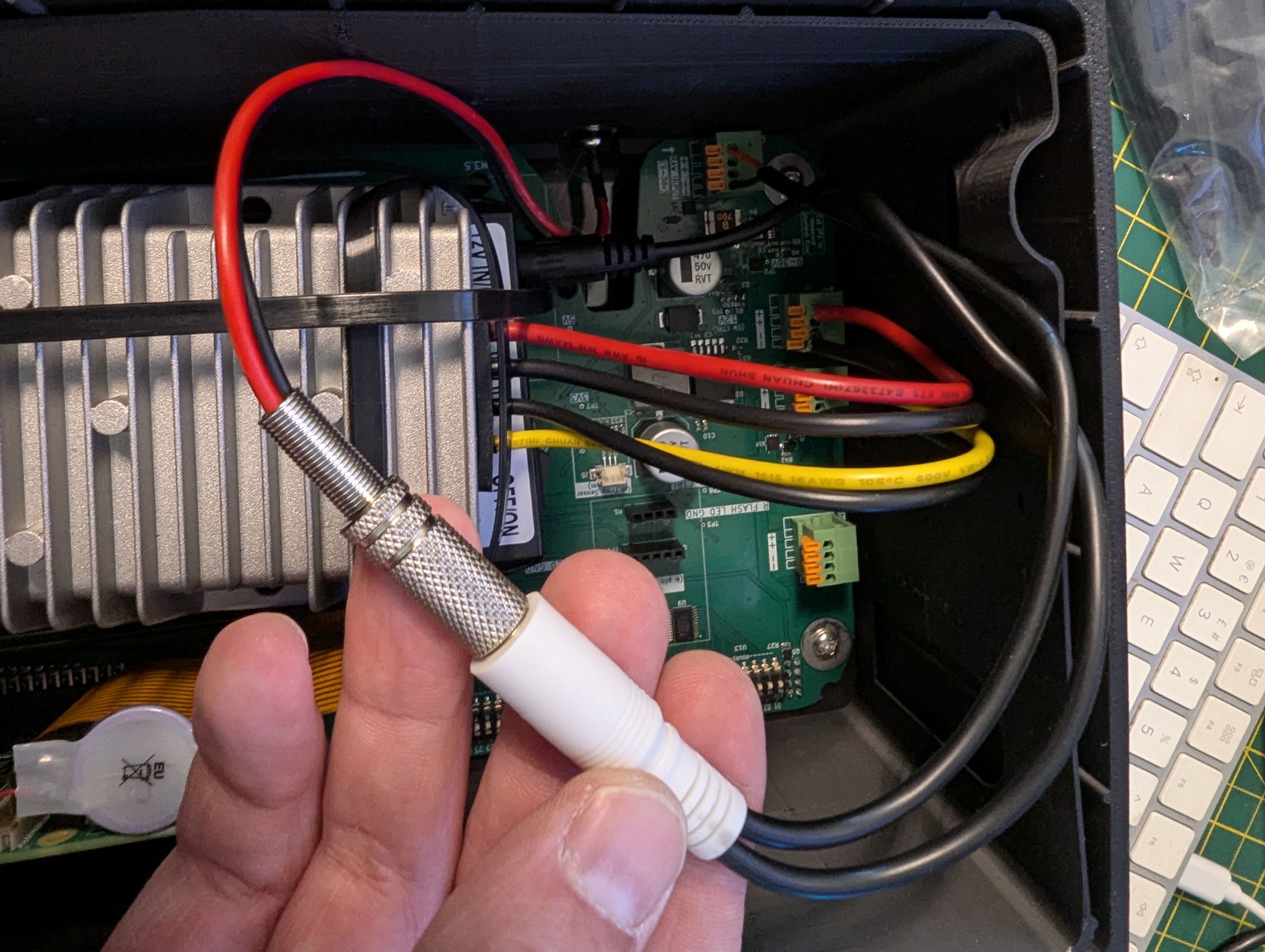
Plugging the cable into the barrel jack socket